Khmer
Khmer English

Integrated with KrubKrong (Ecommerce Platform)
A digital platform that provides solutions for businesses, including POS, inventory management, and e-commerce. It helps businesses manage their online sales effectively.
Constantly Enhanced and Optimized for Your Evolving Accounting and Business Needs!
We build features that grow with your business. Fast, reliable, and always improving—so you can work smarter every day.
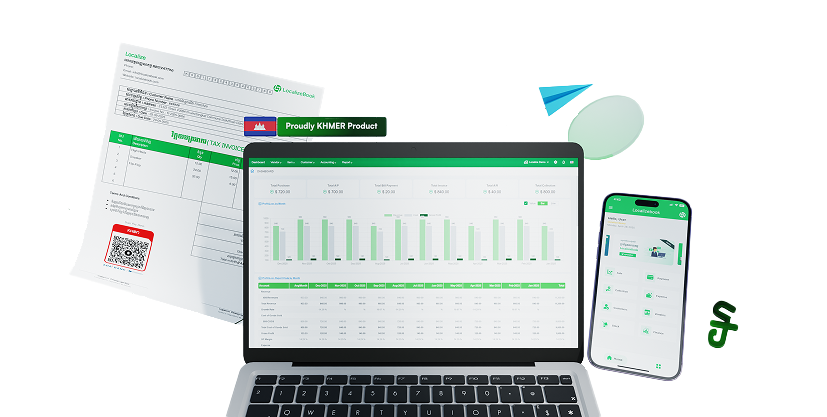
Simplify accounting with clear, adaptable steps
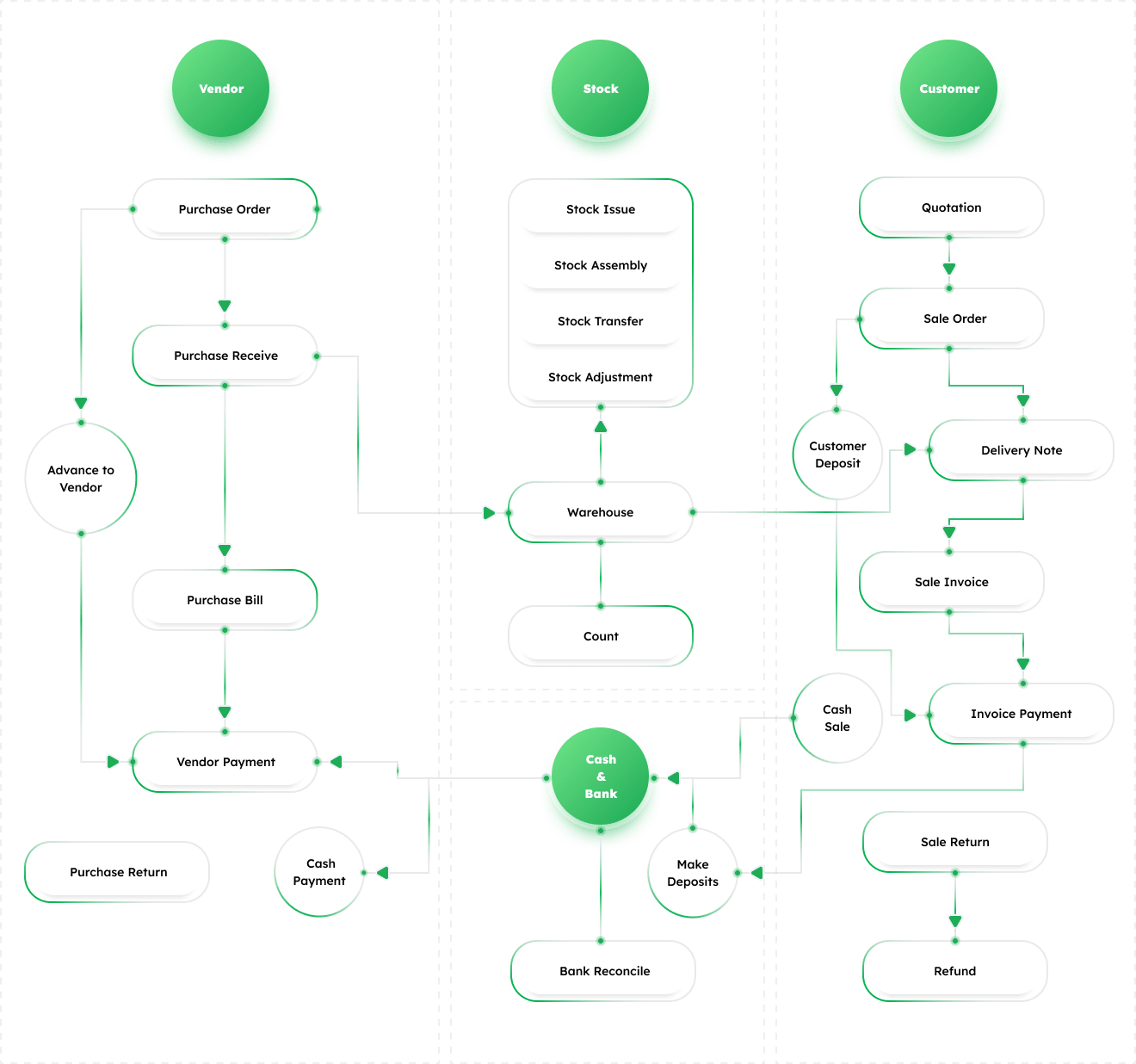
We optimize purchasing, inventory, sales, and payments to ensure seamless business performance. Proper internal record-keeping is essential for every business—and our commitment is to provide flexible workflows that adapt to the unique needs of each organization.
From Purchase Order to A/P Control
A formal document sent to the vendor that lists what you want to buy, how many, and at what price. It acts as an agreement before delivery.
Once the vendor delivers the goods, you mark them as “received”. This confirms that the items from the purchase order have actually arrived.
This is when you officially record the buying of goods or services from a vendor. It shows that your business has made a transaction to acquire something.
This is when you pay the vendor (usually in cash or bank transfer) for the goods or services you purchased.
Sometimes, vendors ask for money before they supply goods. This upfront payment is called an advance payment.
Sometimes small purchases are made directly with cash (like office supplies or urgent items). These are logged as cash expenses instead of full purchase orders.
If some items are faulty, extra, or not as expected, they can be returned to the vendor. In return, the vendor gives you a “credit” which reduces the amount you owe.
“AP” stands for Accounts Payable. This means keeping track of how much you owe vendors and making sure payments are made by the due dates.
From Stock admin to average inventory costing & valuation
Manage items in multiple units of measure, like buying in cartons, storing in boxes, and selling in pieces.
Track and manage stock across different warehouse locations to control availability and movement.
Record stock taken out for non-sales purposes such as samples, internal use, or damaged goods.
Combine raw materials or parts into a finished product and update inventory automatically.
Manually correct stock levels or values to match physical counts or fix errors.
Move stock between warehouses or storage locations without affecting total quantity.
Calculate the true cost of goods by adding freight, customs, insurance, and other expenses.
Monitor consignment stock placed at client or vendor sites while keeping ownership and financial records accurate until the final sale.
Stock Assembly process may include item assembly in multiple stages, up to 3 levels.
Easily track item lot numbers with expiry date and serial numbers with warranty.
From Sale Order to A/R Control
Set and manage multiple price levels depending on the customer type. For example, retail customers may pay standard prices, while wholesale buyers get discounted rates. This helps automate pricing and maintain consistency.
Prepare and send customers a formal price estimate before finalizing a sale. Quotations outline product details, quantity, and pricing, and can be converted into a sales order once approved.
Record a confirmed customer order, detailing requested products, quantities, and terms. The sale order helps plan delivery and invoicing while securing customer commitment.
Provide a document listing the products and quantities delivered to the customer. It serves as proof of delivery and helps reconcile items against sales orders.
Create and issue a detailed sales invoice to the customer after goods/services are delivered. It serves as an official bill, specifying amounts due, payment terms, and due dates.
Handle situations where customers return goods. Returned items are recorded, and the customer’s outstanding balance or future invoice is adjusted accordingly.
Record advance payments received from customers before goods or services are delivered. Deposits reduce outstanding balances later and help secure the order.
Record payments collected from customers against issued invoices. This reduces outstanding receivables and ensures accurate cash flow tracking.
“AR” means Accounts Receivable. This feature tracks outstanding amounts that customers owe, manages due dates, and ensures timely payment collection.
From Chart of accounts to Powerful Financial Reports
Create a flexible account structure tailored to your business needs.
Easily import multiple transactions directly from Excel.
Delete multiple transactions at once, saving time and reducing errors.
Record and track all financial transactions for reporting.
View a complete list of accounts with adjusted balances.
Record transactions like sales, expenses, and receivables.
Make corrections at period-end to finalize accounts.
Automatically close temporary accounts at period end.
Review balances to prepare accurate financial statements.
Generate income statements, balance sheets, and cash flow.
Plan, monitor, and control business performance with set limits.
Giving business leaders a much clearer picture of performance across different segments.
Control your business in every angle with clear data through important reports
Automate Generate disclosure (notes) in financial reports.
To explain and eliminate differences between the company's cash ledger balance and the bank statement balance. This confirms the true, accurate cash balance for the financial statements.
To ensure the sub-ledger (detailed customer accounts) balances precisely with the General Ledger (GL) control account total. This confirms that the reported total amount owed by customers is accurate and tied to individual transactions.
To ensure the sub-ledger (detailed vendor accounts) balances precisely with the General Ledger (GL) control account total. This verifies that the reported total amount owed to vendors is complete and reflects all individual liabilities.
To match the physical count of inventory (or a perpetual system's balance) against the General Ledger (GL) balance. This identifies discrepancies, monitors obsolescence, and confirms the valuation method (weighted average) has been consistently and correctly applied.
To confirm that the asset balance (prepaid expense) reflects the exact portion of the prepayment that has not yet expired or been consumed. It reconciles the initial payment with the accumulated expense recognized to date.
To ensure the liability balance accurately represents the exact amount of cash received that has not yet been earned (service/product not delivered). It reconciles the payment received with the accumulated revenue recognized to date.
To ensure the General Ledger (GL) Fixed Asset balance and Accumulated Depreciation balance match the detailed Fixed Asset Register (or sub-ledger). This validates that all additions, disposals, and depreciation expense calculations for individual assets are correctly aggregated.
Editable templates for Purchase, Sale, Stock Control, and Accounting.
Used to create and send formal purchase orders to vendors, specifying products, quantities, and agreed prices.
Records items received from a vendor against the purchase order to confirm delivery.
General template to record vendor purchases for goods or services.
Used to record and track items returned to vendors, ensuring proper credit adjustment.
Records vendor payments, whether partial, full, or advance, ensuring clear accounts payable tracking.
Records small or immediate purchases paid directly in cash, without requiring a full purchase order.
Used to create and confirm customer orders, listing items, quantities, and terms.
Confirms the delivery of items to customers and records quantities shipped.
Creates sales invoices for customers. Options include:
Used when customers return items. Options include:
Tracks payments received from customers, either full or partial, and updates receivables.
Issues a receipt confirming that a customer has made a payment.
Adjusts stock levels or values to match physical inventory counts or correct errors.
Records movement of stock between warehouses or storage locations.
Records stock removed for non-sales purposes, like internal use or samples.
Combines multiple items or raw materials into a finished product in stock.
Records accounting entries directly in the general ledger for transactions like accruals or adjustments.
Records deposits made into the bank, linking customer payments or other income to bank accounts.
A Comprehensive way for Managing Your Sales Operations
The platform can manage both direct-to-consumer sales and bulk sales to other businesses.
Its built-in POS automatically sends sales data to your accounting records, which prevents errors and saves you from entering data twice.
You can easily bring in sales information from other software or platforms, consolidating all your sales channels.
Get clear daily reports with visual charts and dashboards to quickly track business performance and help you make better decisions.
A digital platform that provides solutions for businesses, including POS, inventory management, and e-commerce. It helps businesses manage their online sales effectively.

A Point of Sale platform that helps F&B businesses create and manage their own loyalty programs, offering various benefits and rewards to customers.
Try the full system free for 30 days — no credit card required. Need help getting started? One of our 50+ accounting firm partners can set you up.